Tag Archives: john muir trail

John Muir Trail: How to Plan for Adventure

Planning for Adventure Along the JMT

When undertaking any endeavor of reasonable difficulty in unknown territory, it’s important to be prepared. So when I decided to hike the John Muir Trail, I did a good amount of research. I relied on two books in particular to help me effectively plan the trip.

Ultimate Hiker's Gear Guide and the Essential Guide to the John Muir Trail.

Reference material from the author’s adventure library.

Essential Resources

The Ultimate Hiker’s Gear Guide: Tools and Techniques to Hit the Trail

Book Cover-The Ultimate Hiker's Gear Guide: Tools and Techniques to Hit the TrailBy Andrew Skurka

Skurka is a well-known long distance hiker who was the first to complete the 6,875-mile Great Western Loop and the 7,775-mile Sea-to-Sea Route, among many other hiking and endurance adventures.

So he knows about traveling fast, light, and going solo. His advice in the book helped me figure out my nutrition (although there was never enough food on the trail) and make more informed gear choices to keep my pack weight under 30 pounds.

John Muir Trail: The essential guide to hiking America’s most famous trail

John Muir Trail: The essential guide to hiking America's most famous trailBy Elizabeth Wenk with Kathy Morey

This was my go-to book for planning the trip. It has very detailed descriptions of the trail, from main features, flora and fauna to watch for, tempting side trails to explore, and details of individual camp sites (which I didn’t truly appreciate until I was on the trail), along with a good bit of history about the trail along the way.

I quite literally tore this book apart and carried the entire North to South section (pages 62 to 140) with me on my trek. Each night, in the fleeting moments before I feel asleep, I would read about what I had to look forward to during the next day.

John Muir Trail Map-Pack: Shaded Relief Topo Maps

John Muir Trail Map-Pack: Shaded Relief Topo Maps From Tom Harrison Maps

I’ve come to trust Tom Harrison Maps for adventuring in the San Gabriel Mountains, and they were great for giving me an overview of trail highlights and for planning. And while I did carry them on the journey, and they served me well, if I had to do it again, I would use Halfmile’s maps of the PCT (the JMT is section H).

Additional Resources

I also consulted a few online sources for information, most notably the John Muir Trail section of the recently redesigned Pacific Crest Trail Association (PCTA)—this elevation profile was particularly useful — and Darrell Harmon’s short but well done John Muir Trail journal from 2010.

John Muir Trail Encounters: Mama Bear & Monkey

While hiking the John Muir Trail this summer, I stopped to check out what the inside of the Stone Hut on top of Muir Pass looked like. It looked pretty neat.

Inside the Stone Hut on Muir Pass

Inside the safety and shelter of the hut at Muir Pass. Neat, huh?  (Yeah, it’s out of focus. Sorry. I was tired.)

Inside, I met Heather (trail name “Mama Bear”) and Sierra (trail name “Monkey”), a mother-and-daughter team who were hiking the Pacific Crest Trail (PCT) together. Just in case you don’t know, the PCT runs from Mexico to Canada, a daunting 2,663 miles (more, if you count the almost necessary off-trail resupply excursions).

What really impressed me about these two, more so than any of the many other PCT thru-hikers I met, was that Sierra was eight years old at the time (she has since turned nine, I think). Her enthusiasm was boundless, and that morning she was very excited to go see the mountain frogs at Wanda Lake.

I’ve checked in on their progress occasionally over the past few months, and I was very pleased to see they finished the very impressive and inspirational journey yesterday.

I’m glad to have met them and am very happy they completed their adventure.

You can read about the whole journey on their blog.


John Muir Trail Gear Check: TrekSta Evolution Mid GTX

John Muir Trail Gear: Shoes

During my John Muir Trail adventure, I’ll be spending long hours on my feet, trudging along the trail, for up to 16 (or more) miles and as long as ten (or  more) hours each day. So I needed some mighty comfortable footwear.

TrekSta Evolution Mid GTXEnter the TrekSta Evolution Mid GTX (the GTX stands for Gore-Tex, the waterproof-yet-breathable material used in countless outdoor clothing applications), winner of the coveted Backpacker Editor’s Choice in 2011.

These are one light pair of boots, about 15.3 ounces per shoe, a key factor considering I will have to lift this weight with each step that I take on the trail. So, as always with hiking, less is better.

And should you think 15.3 ounces is heavy, trail running shoes (an popular alternative for those hikers looking to move fast and save weight) can weigh around 14 ounces, like the La Sportiva Crossover GTX, or 15 ounces, like the Vasque Velocity GTX — both shoes I considered wearing on this trip.

But after reading about the Evolution, I decided on this mid-level boot instead. Having a little extra ankle support without sacrificing low weight is a bonus.  Plus, I’ll most likely be encountering snow at some point, so I wanted footwear that could handle a slick surface. These bad boys have a number of of nifty “grippers” (my term) on the sole, something TrekSta calls “IceLock Technology.” As you can see, this is a company that really embraces inter-caps (and I didn’t even get into their NestFit technology).

I’ve tested these boots on a few hikes in the San Gabriel Mountains. They do shed water really well and are, for the most part, very comfortable. However, the trails in the San Gabriels can get pretty hot, and the breathability of Gore-Tex tends to be less effective in warmer temperatures. So on the longer hikes, I did get a few hot spots (these can turn into blisters if left untreated), but now I know where those will happen and can perform some preventative taping.

Fortunately, so far the weather reports indicate the temperatures I’ll be hiking in along the John Muir Trail will be much cooler than what I’ve experienced in the San Gabriels.

Honey Creek Safari Fedora

John Muir Trail Gear Check: Honey Creek Safari Fedora

A great adventure (like hiking the John Muir Trail), deserves a great hat. For example, there’s Indiana Jones. And Daniel Boone. And The Hatter.

Honey Creek Safari FedoraMy hat of choice for this particular adventure is the Honey Creek Safari Fedora, part of the Goorin Bros Grenadier Collection.

Honey Creek - Made in the U.S.A.

Made right here in the USA.

Why this hat?

It has classic styling, a stiff, durable brim that holds up under challenging conditions, and is made of water resistant cotton (which will be put to the test, make no mistake).

The 2″ brim is just wide enough to keep the sun out of my eyes even when it’s low on the horizon, yet narrow enough that I can take in panoramic views without obstruction.

It sounds perfect, doesn’t it? Yet it has a few distinct disadvantages for this trip.

First, it’s not compressible, so when it’s cold and I’m wearing my polka-dot Smartwool beanie (the style I have is no longer available, it seems), I’ll have to figure out a way to store the Honey Creek.

Second, It does not have a chin strap, so when it’s windy (and it will certainly be windy at some point) it might blow right off my head. Which might prove to be inconvenient.

Lastly, as mentioned before, it’s cotton, so it won’t wick moisture as well as some of the “technical” (what a funny adjective for clothing) hats on the market today.

Honey Creek Fedora - in action.

The author, looking rather pretentious, in the Honey Creek Fedora.

So considering those points, the Honey Creek may seem a little extravagant, and perhaps a tad impractical. But, for me, the pluses outweigh the minuses.

Besides, it’s my adventure — and I like this hat.

John Muir Trail Gear Check: Panasonic Lumix TS4 Camera

Panasonic Lumix TS4

The Panasonic Lumix TS4 and Joby Gorillapod working together to get those hard-to-reach shots.

When I started looking for a camera to take with me on my hike along the John Muir Trail, I knew it had to be a rugged piece of gear.

That’s why I decided on the Panasonic Lumix TS4. First off, it has all the important proofs:

  • Waterproof
  • Dustproof
  • Shockproof
  • Freezeproof

If that’s not impressive, then consider it’s GPS-enabled with landmark-recognition, so it’ll remind me just where I was when I took some of the sure-to-be epic shots I’ll be taking. It even allows the user to create their own landmarks, which is a pretty neat function.

Now if that’s all it did, it would be enough. But it also comes with the really cool-sounding “Quad-Indicator” Yeah, that’s right. Quad. Indicator. Cool name, sure, but what does it mean?

It means that in addition to the aforementioned GPS, it has a compass, an altimeter/depth indicator, and, yes, even a barometer, to “help keep memories longer and more accurate.*” I can’t speak to the veracity of that last claim (I’m not sure that weather conditions will enhance my memory of past events), but it’s a pretty useful camera.

Oh, and thanks to its Leica lens, it takes great pictures (12.1 megapixels) and full HD video (1920 x 1080), too. You can see some of the photos I’ve taken with it in this set on Flickr.

It’s worth mentioning that with all these added functions, it’s a bit of a power hog. I’m not sure I can get two weeks of use out a single battery, so I’m bringing an extra. Another gripe: the battery charger isn’t USB-enabled; it needs a standard wall jack. Mighty inconvenient when you’re in the middle of nowhere.

Yes, even with those downsides, it’s a good camera for an adventure.

*This claim is from the Panasonic website. You can read it for yourself here.

Goal Zero Nomad 3.5

John Muir Trail Gear Check: Goal Zero Nomad 3.5

Goal Zero Nomad 3.5

Goal Zero Nomad 3.5 and Guide 10 Plus Battery Pack.

What do you do when your satellite-connected smartphone runs out of power when you’re on the John Muir Trail?

Simple.

Recharge it with Goal Zero’s Guide 10 Plus Battery Pack that’s been soaking up the sun’s energy all day, thanks to the twin solar panels of Goal Zero’s Nomad 3.5 you’ve had hanging off your pack as you’ve hiked.

The Guide 10 and the Nomad 3.5 are sold together, along with four AA batteries and some connection cables, as the Guide 10 Plus Mobile Kit, a mighty solar power providing package.

Guide 10 Plus Power PackThe Guide 10 is essentially a battery charger that holds four AA (or AAA, with an adapter) NiMH rechargeable batteries that is charged by the Nomad 3.5 via a special “Ultra Charge Solar Cord” (whatever that means). It’s also a small, rather powerful flashlight.

I’ve used other portable solar panels in the past with varied results (and by varied I mean from “fair” to “poor” to “crappy”), but so far this little number delivers power where it counts. On some routine field testing, the Guide 10 loaded up with 4 AA batteries charged in about 6 hours, as advertised. It even charges in less than direct sunlight (which has always been a frustrating flaw in portable solar panels), although a little more slowly.

Guide 10 Plus will not charge smartphones.The only downside I’ve discovered so far is that it isn’t designed to charge smartphones directly — though there’s some confusion on this point (sadly, reviews and FAQ on this page are not linkable, but the info can be found by searching for “smartphone”), but the phone charges just fine via USB from the Guide 10.

All that, and the whole thing weighs in at just under a pound. And I’ll be able to save a little more weight by carrying fewer batteries, so it’s a win all around.

SPOT Connect

John Muir Trail Gear Check: SPOT Connect

SPOT ConnectOne of the problems a family man faces when setting out on the John Muir Trail is letting his family know that he’s okay, or, perhaps more importantly, letting someone know when he needs help. Enter the SPOT Connect.

This hockey-puck sized technological dynamo allows tracks your progress in the backcountry (well, anywhere, really) and acts as a communications conduit between GPS satellites and your Bluetooth-enabled smartphone. Neat.

How (They Say) It Works

They sure make it look easy, don’t they? I found that while setting the device up wasn’t difficult, it wasn’t all that intuitive, either. Don’t expect to buy one of these off the shelf, sync up your phone, and hit the trail. I recommend a few test runs to get the hang of it before you put your life in its hands.

Once you activate your SPOT at www.findmespot.com, set up your account, name your device (mine goes by “Echo” — clever, eh?), and then go through the tasks of setting up predefined messages, contacts, contact groups (no more than ten), and hooking up your social media accounts, you have to pair it with your smartphone.

SPOT Connect - Searching DevicesSPOT Connect - Not Connected

I found that pairing the device with Bluetooth takes a few times to get it right, but once it’s paired, it performs its functions well.

Messaging
You can send messages via email and text as well as update Twitter and Facebook if you just can’t stop sharing.

SPOT Connect - SOS

That button looks too easy to press accidentally. It frightens me.

SOS
It also has a sort-of protected one-press SOS button which will transmit your location to the GEOS International Emergency Response Coordination Center (IERCC) to coordinate with a local rescue team. It’s worth noting that the protective cover for the SOS button looks a bit flimsy; I live in fear that I’ll press it by accident when powering the device on or off.

Track Progress
The SPOT Connect will track your progress on both Google Maps and their proprietary SPOT Adventures site. Here’s the map of a short hike I took a few weeks back along the Gabrielino Trail.

A hike, mapped by SPOT Connect.

A short walk along the Arroyo.

What’s All That Cost?
All this functionality will cost you. In addition to the $150 or so for the unit itself, you need to pony up $100 for an annual subscription to the SPOT satellite service, plus more if you want some of the well-touted add-ons like the tracker ($50) and the ability to send one-way messages. Your first five messages are free and will run you 50 cents each after that. You can save a few dollars by buying one of the SPOT message bundles, which run $30 for 100 or $50 for 500 messages.

I opted to buy the 100 message package, so my all-in cost on this was $330 ($180 for the services, plus $150 for the unit itself).

Still, not a bad deal for a personal satellite communicator. It’s worth noting that I have read that actually trying to unsubscribe from the SPOT service can be difficult (Notification needs to be in writing? Really? Why not a big, red STOP button on my accounts page?), but we shall see how that goes.

Battery Life
Oh yeah, it runs on two AA batteries. With a minimum of 14 days on the trail, I’ll certainly be putting their battery life claims to the test.

Which reminds me …
How do you keep all your devices powered on the John Muir Trail? More on that tomorrow.

Links to noteworthy references:
SPOT Connect on Amazon

John Muir Trail

Road to Adventure: Gearing Up for the John Muir Trail

John Muir Trail

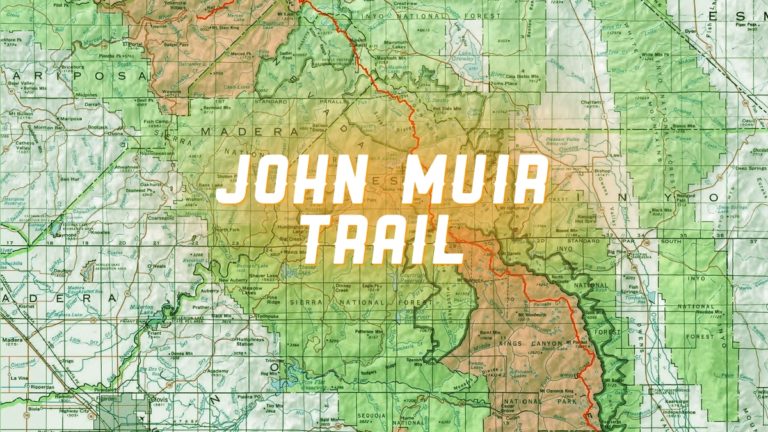
The John Muir Trail. Courtesy of the excellent OnTheTrail.org.

In two weeks, I’ll be hitting the John Muir Trail, a well-known nature walk, named for California’s best-known naturalist, anywhere from 211 to 224 miles long (depending on the source and how you count) that winds its way through California’s Sierra Nevada mountains.

I was supposed to undertake this adventure with a friend of mine, but he had to cancel because of work. When he let me know, I was left with two choices: call it off or continue as planned.

My FILDI in this matter is mighty, so I’m forging ahead.

First estimates had me finishing in 12 days. Ambitious, I know, but some people have done it in seven. Seven might be a tad fast for me, but I do like to keep moving along at a steady pace. But due to circumstances beyond my control (of which I suspect there will be a least a few more coming my way), I’ve got a revised estimate of 14 days. That’s roughly 16 miles a day (more if I can swing it), but mileage will vary between 12 and 20 depending on the terrain I’m crossing.

John Muir Trail Elevation

Elevation profile of the terrain I plan on crossing, courtesy of Loc Nguyen (via Flickr).

Right now, I’m about 80 percent certain the trip will start as planned, but only about 50 percent sure that I will finish the entire trail as planned due to a few unknowns (in order):

  1. Trail conditions. There was a huge windstorm in California back in November, and the area around Red’s Meadow and Devil’s Postpile National Monument (about 1/4 of the way down the trail, give or take a few fractional points) is littered with fallen trees. It will almost certainly slow me down and may be impassable, given my 14-day time frame.
  2. Weather. Always a concern in the Sierras, especially this early in the season. Although we’ve had a mild winter, and the snowpack is pretty small (55% of seasonal average), there’s still plenty of snow at the upper elevations. And after the cold front that moved through last weekend, I’m not quite sure what to expect.
  3. Nutrition. I have to carry all my food for seven to eight days at a time, jammed into a bear canister. Tricky business. I also have to coordinate a food drop (meaning I have to mail a five-gallon bucket full of dehydrated food and chocolate-based goodies through the USPS) to Muir Trail Ranch, located at about half-way down the trail. The window to pull this off is closing fast, and I have to figure out my food intake needs (about calories 3,500 to 4,000 daily) very soon.*

I’ve practiced hiking the last few months in the Angeles National Forest, testing both my fitness (which I’ll rate as pretty good) and much of the gear that I’ll be using.

I’ll be writing about some of that gear and my final preparations here in the coming weeks. I hope it’s at least a little entertaining and perhaps slightly educational.

*My daughter was quick to point out that you can live for three weeks without food, so I should be okay. As long as I have water. You can only live three days without water — so she tells me.